
Feature Feedback: Targeted In-App Surveys

Updated 08 Oct 2026
You shipped the new feature. The release went smoothly, crash rates are stable, and adoption numbers look promising. But there's a question no dashboard can answer: do your users actually like it? Without direct feedback from the people using the feature, you're flying blind.
Traditional user research — interviews, focus groups, beta panels — gives you deep insight, but it's slow. What if you could get honest, structured feedback from real users within days of a feature launch, without pulling anyone into a meeting? That's exactly what targeted in-app surveys enable when paired with event-based targeting.
Why Generic Surveys Don't Work
Most in-app survey implementations show the same popup to every user after a fixed time. A user who has never touched your new feature has nothing meaningful to say about it. Worse, interrupting them with an irrelevant question erodes trust.
The quality of feedback is directly proportional to the relevance of the question to the person being asked.
The Targeted Feedback Pattern
- Track a specific event each time the user interacts with the feature.
- Increment a Custom Property (e.g.,
feature_use_count) viaamply.setCustomProperties(...)on each use, then target on that property in the Who step. - Fire a Deeplink action — your app receives the URL and renders the survey UI with clear, actionable response options.
- Send the response as a structured event to your analytics platform.
- Limit impressions so each user is only asked once per feature.
On the app side, each time the user actually uses the feature we bump a counter and tell Amply about it. That counter becomes the targeting signal; the event becomes the trigger.
// Android (Kotlin). Each time the user uses the feature.
val newCount = prefs.getInt("feature_use_count", 0) + 1
prefs.edit().putInt("feature_use_count", newCount).apply()

amply.setCustomProperties(
    properties = mapOf("feature_use_count" to newCount)
)
amply.track(event = "FeatureUsed")
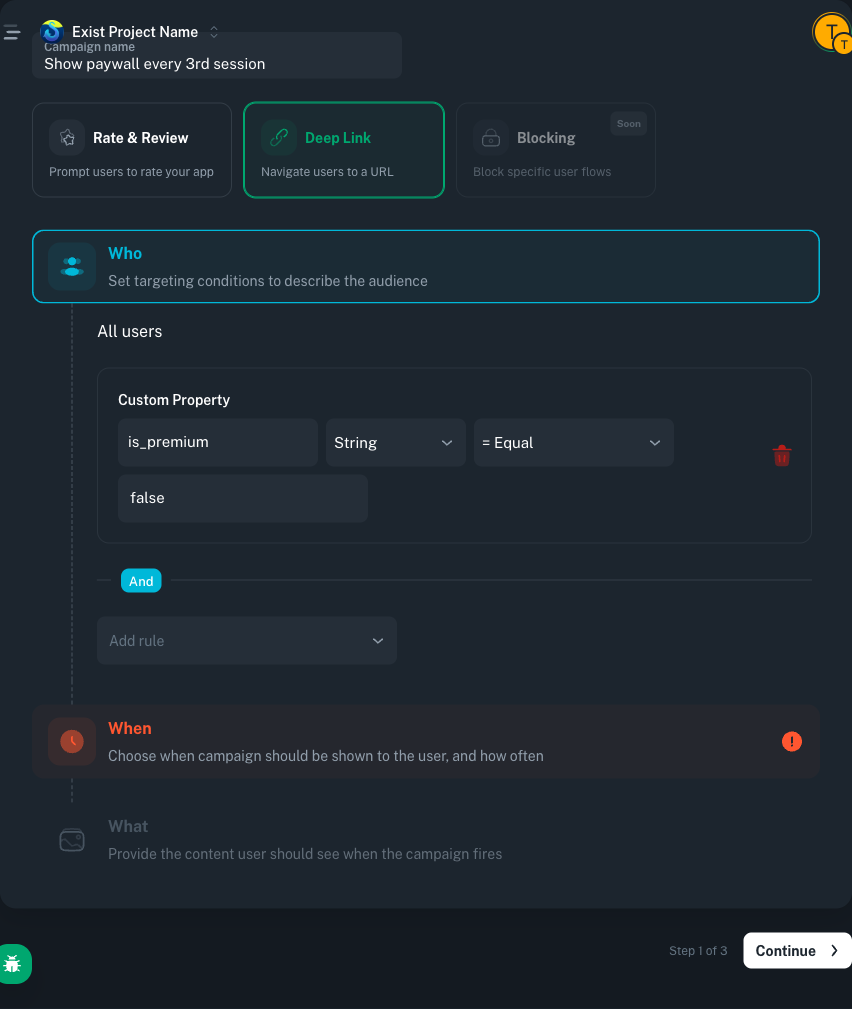
Once the SDK has set feature_use_count, here is the campaign in the Amply dashboard:
Show feedback survey after 2+ feature uses
- WhoCustom Property—
feature_use_count(Number)>= greater or equal2 - WhoCustom Property—
submitted_feedback(Boolean)!= not equaltrue - WhenTriggering Event— event
FeatureUsed - WhenFrequency Limits— show campaign
1time (device lifetime) - WhatDeeplink—
happens://feedback-survey
After the user submits the survey, call amply.setCustomProperties(mapOf("submitted_feedback" to true)) so the submitted_feedback != true rule stops matching and the campaign never targets them again.
Targeting Real Users with Usage Thresholds
Amply does not have a built-in "fire at event count N" targeting primitive. The supported pattern is to keep the counter in your app and push it to Amply as a Custom Property. You then target on that property in the Who step, which lets you say things like "only ask users who have used the feature at least 2 times".
// Android (Kotlin). Track every interaction with the new feature.
amply.track(
    event = "NewFeatureUsed",
    properties = mapOf(
        "feature" to "smart_search",
        "session" to 3
    )
)
When you push the counter as a Custom Property, you choose what it counts:
- Lifetime counter
Increment and persist across sessions. Ideal for features that take time to evaluate (e.g., ask after the user has used smart search at least twice, ever).
- Session counter
Reset on app launch. Good for self-contained experiences where you only care about engagement within one session.
Setting Up Feedback Campaigns with Amply
Define the Audience
In the Who step, add a Custom Property rule: feature_use_count (Number) >= 2. Combine it with theFeatureUsed triggering event in the When step. Only users with real experience will enter the campaign.
Configure the Action
In the What step, pick the Deeplink action and point it at a URL your app handles, e.g. happens://feedback-survey. When the targeting rule matches, Amply calls your registered deeplink listener; your app intercepts the URL and renders the survey UI natively. Amply itself does not draw the popup.
Set Impression Limits
Configure an impression limit of 1. Each user sees the survey exactly once for this feature, preventing survey fatigue.
Code Implementation
On the app side you register a deeplink listener once, match the feedback URL, and render your own survey UI. The response gets written back into Amply (so future targeting can ignore users who already answered) and mirrored into analytics.
// Android (Kotlin). Handle the feedback deeplink triggered by Amply.
import tools.amply.sdk.actions.DeepLinkListener

amply.registerDeepLinkListener(object : DeepLinkListener {
    override fun onDeepLink(url: String, info: Map<String, Any>): Boolean {
        if (!url.contains("feedback-survey")) return false

        showFeedbackSurvey(
            question = "How do you like Smart Search?",
            options = listOf(
                "Love it!",
                "It's complicated",
                "Didn't find what I needed"
            ),
            onResponse = { response ->
                // Mark the user as answered so Amply stops targeting them
                amply.setCustomProperties(
                    properties = mapOf("submitted_feedback" to true)
                )

                // Record the structured response in Amply
                amply.track(
                    event = "FeatureFeedback",
                    properties = mapOf(
                        "feature" to "smart_search",
                        "response" to response
                    )
                )

                // Mirror to your analytics platform
                analytics.track("FeatureFeedback", mapOf(
                    "feature" to "smart_search",
                    "sentiment" to response
                ))
            }
        )
        return true
    }
})
The three response options are deliberately simple and action-oriented: positive ("Love it!"), confused ("It's complicated"), and unmet expectation ("Didn't find what I needed"). Each maps to a clear product action.
Acting on Feedback Data
- "Love it!" dominates — The feature is landing well. Consider promoting it more prominently.
- "It's complicated" is high — The feature has value but the UX needs work. Prioritize usability improvements.
- "Didn't find what I needed" is high — There's a gap between user expectations and what the feature delivers.
You don't need a research team to understand if a feature works. You need the right question, asked to the right people, at the right time.
Conclusion
Shipping a feature is only half the job. Understanding whether it works for your users is the other half. Targeted in-app surveys, powered by event-based targeting and impression limits, give you structured, high-quality feedback from the people who matter most: users who have actually used the feature.
Start with your next feature launch. Track the event, set the threshold, ask the question, and let the data guide your next move.