
At-Risk Users: In-App Churn Prevention

Updated 08 Oct 2026
Every mobile app loses users. That's not the problem. The problem is losing users you could have saved — the ones who slowly disengage, skip a few sessions, and then disappear entirely. By the time most teams notice the drop, it's too late. The user has already mentally moved on, and your winback email lands in an inbox they never check.
What if you could intercept that moment — the exact session when a lapsing user returns — and deliver a personalized reason to stay? That's what in-app churn prevention looks like with Amply. No push notifications that get ignored. No emails that go to spam. A targeted, in-app experience at the one moment your at-risk user is actually paying attention.
Why Traditional Churn Prevention Fails on Mobile
Most churn prevention strategies were designed for web SaaS: automated email drip sequences, push notification blasts, and retargeting ads. On mobile, these channels have fundamental problems:
- Push notifications have declining opt-in rates, especially on iOS. Many at-risk users have already disabled them.
- Emails require the user to leave their current context, open another app, and click through. Most lapsed users never make it that far.
- Retargeting ads are expensive and imprecise. You're paying to reach users who may have already uninstalled.
- None of these channels can react in real time. There's always a delay between detecting disengagement and reaching the user.
The in-app moment is the highest-intent touchpoint you have. When a lapsing user opens your app after a 10-day gap, they're giving you one more chance. That session is your intervention window, and it closes fast.
Identifying At-Risk Users with Amply's Targeting
Amply lets you define "at-risk" directly in your campaign rules — no separate analytics pipeline required. The core idea is simple: fire your winback campaign on SessionStart, and use Frequency Limits so it only shows after a configurable quiet period has passed since the last impression.
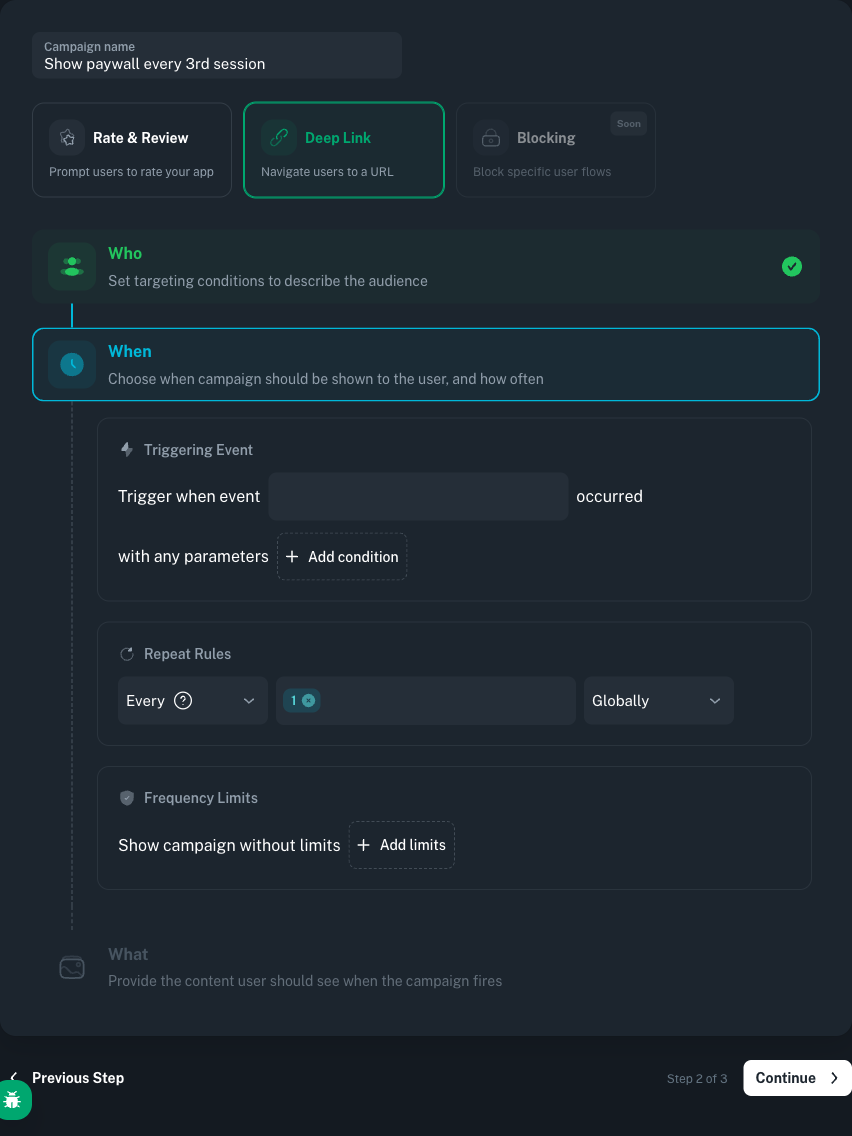
Time-Gap Targeting in the Admin Panel
The pattern is straightforward: pick the event that opens the intervention window (usually SessionStart), then tell Amply to only show the campaign if enough time has passed since the last impression. A seven-day minimum interval means a returning user who meets the other conditions will see the welcome-back experience once, and won't see it again for at least a week if they bounce and come back.
Welcome-Back campaign: 7-day absence trigger
- WhenTriggering Event— Trigger when event
SessionStartoccurred. - WhoCustom Property—
is_premium(Boolean)= equalfalse. - WhenFrequency Limits— Show campaign
1time, with time interval between impressions at least7days. - WhatDeeplink—
happens://welcome-back
Layering Additional Signals
A single time gap might catch vacation returns or one-off absences. To improve precision, layer in additional custom properties:
- Session frequency dropping: update
weekly_sessionsas a Number Custom Property whenever the rolling count changes, then target users whereweekly_sessionsis below a threshold you consider "at risk" (for example,< 2). - Engagement flags: Set
is_activetofalsewhen server-side analytics detect declining usage patterns. - Negative exclusion: Exclude users who are still active — you don't want to show a 'welcome back' message to someone who was here yesterday.
// Android (Kotlin). Set engagement properties from your analytics pipeline.
amply.setCustomProperties(mapOf(
    "last_active_date" to "2025-01-10",
    "weekly_sessions" to 1,
    "is_active" to false
))
Building Winback Campaigns
With your at-risk segment defined, the next step is designing the intervention. The goal is clear: give the returning user an immediate, compelling reason to re-engage — before they close the app again.
The Trigger
// Android (Kotlin). Track session start — this is your campaign trigger.
amply.track("SessionStart")
The Action: Deeplink to a Welcome-Back Experience
Instead of showing a generic popup, use Amply's deeplink action to route the user to a dedicated welcome-back screen. Configure your campaign action with the deeplink happens://welcome-back, and handle it in your app:
// Android (Kotlin). Handle the winback deeplink.
import tools.amply.sdk.actions.DeepLinkListener

amply.registerDeepLinkListener(object : DeepLinkListener {
    override fun onDeepLink(url: String, info: Map<String, Any>): Boolean {
        if (url.contains("welcome-back")) {
            showWelcomeBackOffer()
            amply.track("WinbackShown")
            return true
        }
        return false
    }
})
Impression Limits
Set the campaign to show once per return. You don't want the same user seeing the welcome-back offer on every session after they've re-engaged. Amply's Frequency Limits let you cap the campaign to a single lifetime impression and add a minimum interval before it can fire again.
The Implementation Blueprint
The best churn prevention doesn't feel like churn prevention. It feels like the app knows you came back and is genuinely glad to see you.
- Instrument session tracking
Call
amply.track("SessionStart")when your app launches. This is both your campaign trigger and your timestamp source. - Sync engagement properties
Push
weekly_sessions,is_active, andlast_active_datefrom your analytics backend. - Create the campaign in Amply
Set the trigger to
SessionStart. Add the time-gap condition (7+ days since last trigger). Set the action to deeplinkhappens://welcome-back. Limit impressions to once. - Build the welcome-back screen
Handle the deeplink in your app. Design a screen that delivers immediate value: a discount, new feature highlight, or personalized content recap.
- Track the funnel
Fire
amply.track("WinbackShown")when the screen appears andamply.track("WinbackConverted")when the user takes the desired action.
Measuring Retention Impact
- Winback show rate
How many at-risk users triggered the campaign vs. how many actually saw it.
- Winback conversion rate
WinbackConverted/WinbackShown. This tells you whether your offer is compelling enough. - 7-day and 30-day retention after intervention
Compare the retention curve of users who saw the winback vs. a control group. The gap between the two curves is what the campaign is actually worth.
- Session frequency recovery
Are winback users returning to their previous session cadence, or do they lapse again within a week?
// Android (Kotlin). Track the full winback funnel.
amply.track("WinbackShown")

// When the user takes the desired action
amply.track("WinbackConverted")
Using Churn Data Beyond Amply
- Email winback sequences
Users who didn't convert from the in-app campaign can be enrolled in an email sequence.
- Product prioritization
If a particular user segment churns at higher rates, that's a signal to investigate what's missing.
- Predictive modeling
The custom properties and session patterns you track become training data for ML-based churn prediction.
The most valuable outcome of in-app churn prevention isn't just the users you save — it's the data you collect about why users leave and what brings them back.
Conclusion
Churn isn't a single event. It's a process — a gradual disengagement that happens across days and weeks. Amply lets you catch users at the critical moment: the first session after a gap. With time-based targeting, custom property segmentation, and deeplink-driven experiences, you can deliver a personalized welcome-back at exactly the right time.
Start with the 7-day gap rule. Instrument SessionStart, configure the campaign in the admin panel, build a simple welcome-back screen, and measure the results against a control group. The users who come back are telling you something. Make sure your app is listening.